Run 3 Unblocked — Play Free Online
More Racing & Sports games





Run 3 unblocked: play Run 3 online free right here in your browser — no download, no sign-up, works on a school Chromebook.
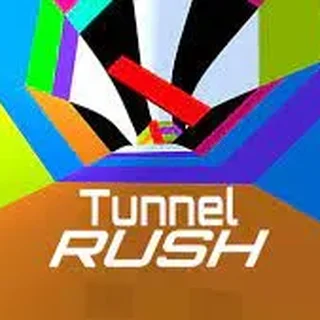
Run 3 is a fast-paced 3D platformer where you sprint through floating geometric tunnels suspended in deep space. As your character dashes along the floor, large gaps and missing tiles appear in your path. What sets the experience apart is its dynamic gravity mechanic: stepping or jumping onto a side wall rotates the entire tunnel beneath you, converting that wall into the new floor.
The pacing transitions smoothly from relaxed platforming in early stages to demanding spatial puzzles as the corridors become more fragmented. On Shell Shockers, where players are used to rapid movement and spatial awareness in multiplayer arenas, Run 3 serves as an engaging single-player challenge that tests quick reaction times and route planning.
How to play
Steering and jumping are simple to pick up using either arrow keys or standard keyboard controls:
- Steer left and right: Press the Left and Right Arrow keys (or A and D) to move along the current surface or rotate onto adjacent walls.
- Jump: Press the Up Arrow key, Spacebar, or W to leap over chasms.
- Jump height control: Lightly tap the jump key for short hops across single missing tiles, or hold it down to clear wide gaps.
The game includes two main ways to play. Explore Mode presents a branching galaxy map filled with distinct tunnel sectors and unlockable alien characters. Infinite Mode drops you into an ever-accelerating, endless tunnel where the objective is to survive as long as possible and set high scores.
Tips for longer runs
- Rotate early: Look several tiles ahead down the tunnel corridor. If a huge gap spans the current floor, steer into a solid wall well before reaching the edge.
- Master variable jumping: Holding the jump button for too long can cause you to overshoot small platforms or crash into low ceilings. Adjust your jump duration based on the size of the gap.
- Stick to the center: Running along the outer seams of a tunnel wall makes emergency steering much harder. Aim for the center of whichever surface is currently acting as your floor.
- Experiment with characters: As you progress through Explore Mode, new characters become available with unique movement attributes, such as floatier jumps or faster base speeds, which can make difficult tunnel segments easier.
Other games on Shell Shockers
When you are ready for competitive multiplayer after navigating deep space tunnels, Shell Shockers offers a wide selection of action titles. You can test your shooting skills against other players in Bullet Force and 1v1.LOL, explore tactical voxel combat in BlockPost, or try 10 More Bullets for a classic arcade timing challenge.
Questions about Run 3
Is Run 3 unblocked at school?
Run 3 runs in an ordinary browser tab from shell-shockers.org, with nothing to download or install, so it plays on most school Chromebooks and work computers. If a network filter blocks the site, only that network's administrator can change it.
What are the controls for Run 3?
Use the Left and Right Arrow keys or A and D to steer sideways, and press Up Arrow, Spacebar, or W to jump. Holding the jump key yields higher, longer leaps.
How does gravity shifting work in Run 3?
Whenever your character runs into or touches a side wall, the entire tunnel rotates so that the wall becomes your new floor, allowing you to bypass gaps.
Does Run 3 save my level progress?
Yes, your unlocked stages and galaxy map progress in Explore Mode are automatically saved to your local browser storage between play sessions.
What is the difference between Explore Mode and Infinite Mode?
Explore Mode features a branching map of hand-crafted levels to complete and unlock characters, whereas Infinite Mode generates an endless tunnel to test endurance.